The log inside the mower records the complete working process, which is very useful for analyzing software bugs. If you encounter special problems that cannot be solved, you can download logs and send them to Senseeker for analysis assistance. Below shows how to download Log from robotic mower S3 and S5:
a. Prepare a USB drive, the file system of the USB drive needs to be formatted in FAT32 format, and the capacity of the USB drive needs to be greater than 10GB.
b. Copy attached SeekerPack file in the first level directory of the USB drive.
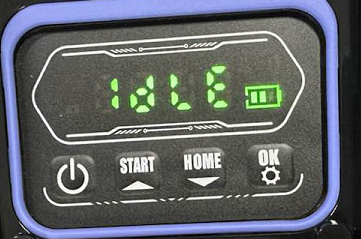
c. Ensure that the mower is turned on and stable. When the LED panel of the mower shows "idle", it can indicate that the machine is turned on and running stably.
d. Remove the battery pack cover and see the USB interface.
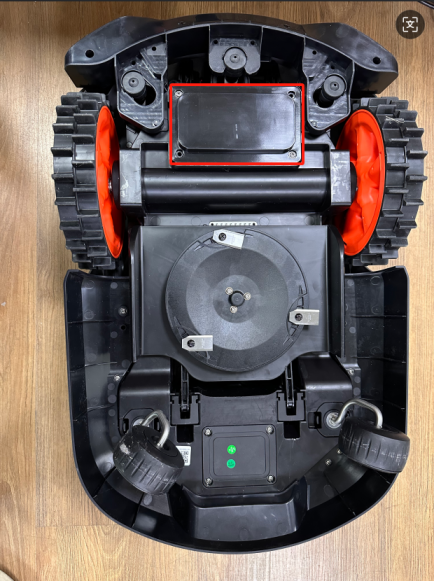
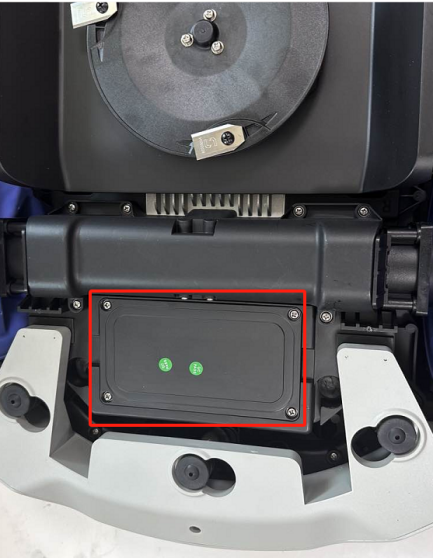
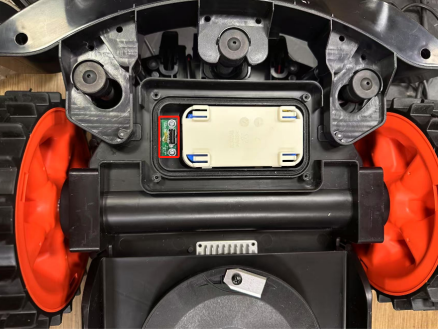
e. Insert the USB drive into the mower's USB interface.
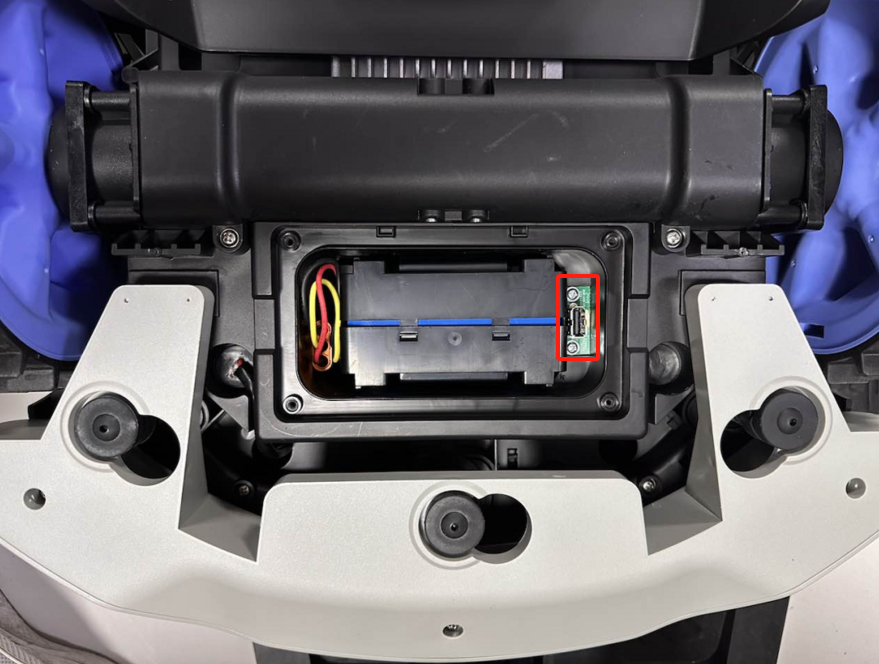
f. When you hear a continuously beeps, it indicates a successful downloading.
g. Send us the file record0 in the SeekerLog file for further analysis.

Was this article helpful?
That’s Great!
Thank you for your feedback
Sorry! We couldn't be helpful
Thank you for your feedback
Feedback sent
We appreciate your effort and will try to fix the article