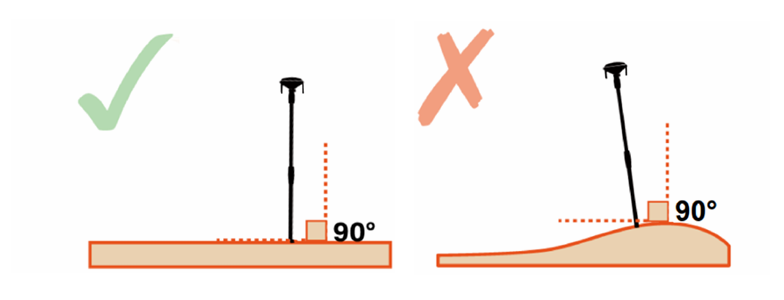
a. Place the Antenna upright. Avoid installing the Antenna on a slope.
b. The Antenna should be within the coverage area of the household Wi-Fi, which is the same Wi-Fi used by the mower, and close to a power source.
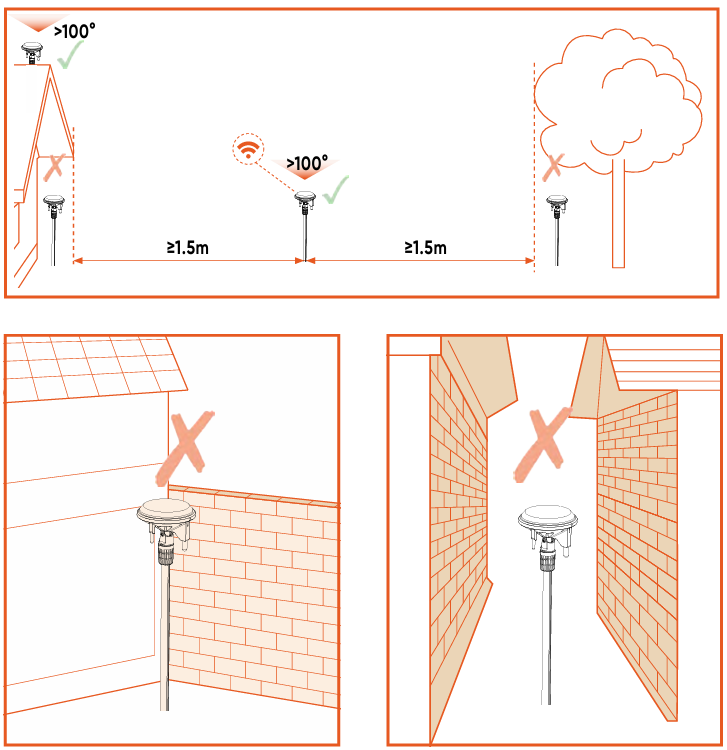
c. To ensure a good reception of satellite signals, install the Antenna in an open and flat space with nothing blocking the signal, where it has at least 100° clear signal receiving angle with unobstructed sky.
d. The distance between Antenna and wall or trees need to be greater than 1.5 m.
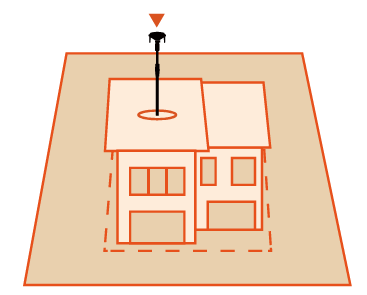
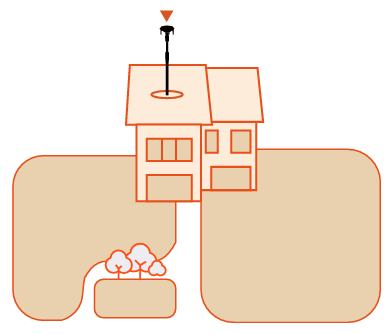
e. If you have separate lawns or if your lawn is shaped like the letter "O", "U", we recommend that you install the Antenna on the roof.
f. If full openness on all sides can't be achieved, for Antenna located in the Northern Hemisphere, try to keep the southern sky unobstructed; for Antenna in the Southern Hemisphere, ensure the northern sky is as open as possible.
Note
After installing the Antenna, its position can be adjusted to obtain a higher quality satellite signal. However, ensure that the mower remains on the charging station and in charging mode during the relocation of the Antenna.
Was this article helpful?
That’s Great!
Thank you for your feedback
Sorry! We couldn't be helpful
Thank you for your feedback
Feedback sent
We appreciate your effort and will try to fix the article