The logbook in the lawnmower records the entire work process, which is very useful for analyzing software errors. If you encounter specific problems that cannot be resolved, you can download logs and send them to Sunseeker for analysis assistance. Below is how to download logs from a robotic mower.
A. Prepare a USB stick, the file system of the USB stick must be formatted in FAT32 format, and the capacity of the USB stick must be greater than 1GB.
b. Insert the USB stick when the lawnmower is turned off.
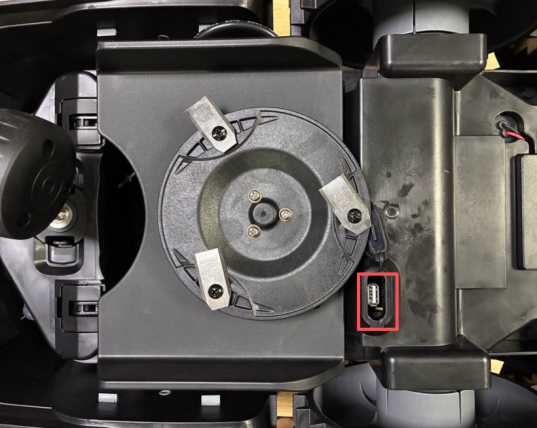
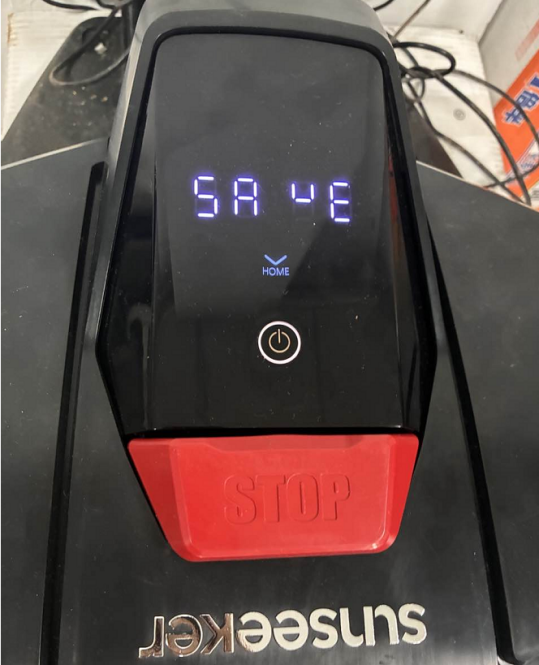
c. Wait after turning on until "save" is displayed on the LCD panel of the lawnmower, indicating that the USB stick has been recognized
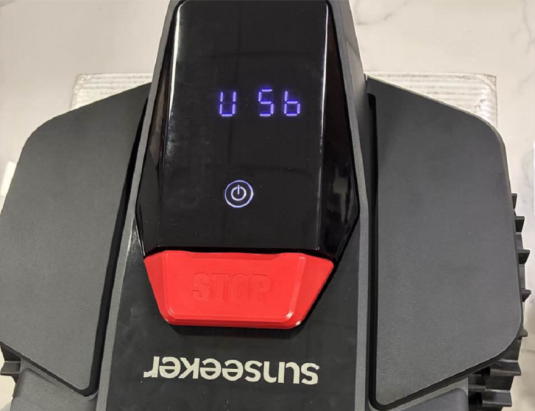
D. Wait until "USB" appears on the mower's LCD panel, indicating a successful download.
e. Send us the file on the USB stick for further analysis

Usually, if the machine operates normally for 3-5 hours, it can record 3 days of work logs.
Unlike the work log in the APP, the log records every step of the machine's operation.
Was this article helpful?
That’s Great!
Thank you for your feedback
Sorry! We couldn't be helpful
Thank you for your feedback
Feedback sent
We appreciate your effort and will try to fix the article